Walityk forwards your events to GA4 through the Measurement Protocol, server-side. Two methods: automatic OAuth connection (recommended) or manual entry.
Takes 3 minutes.
Prerequisites
- The Walityk tag installed and events flowing (check the site’s live event stream).
- A GA4 property with a Web data stream.
- For the automatic connection: a Google account with the Editor or Admin role on the GA4 property.
Method 1 — Automatic connection (recommended)
- Walityk dashboard → Destinations → pick your site.
- On the Google Analytics 4 — automatic connection card, click Connect Google Analytics.
- Sign in with the Google account that has access to your GA4 property.
- Pick the property from the list. Walityk creates the Measurement Protocol secret and provisions the Walityk custom dimensions automatically.
That’s it: no secret to copy-paste, and the Re-provision Walityk dimensions button stays available if you ever delete a dimension on the GA4 side by mistake.
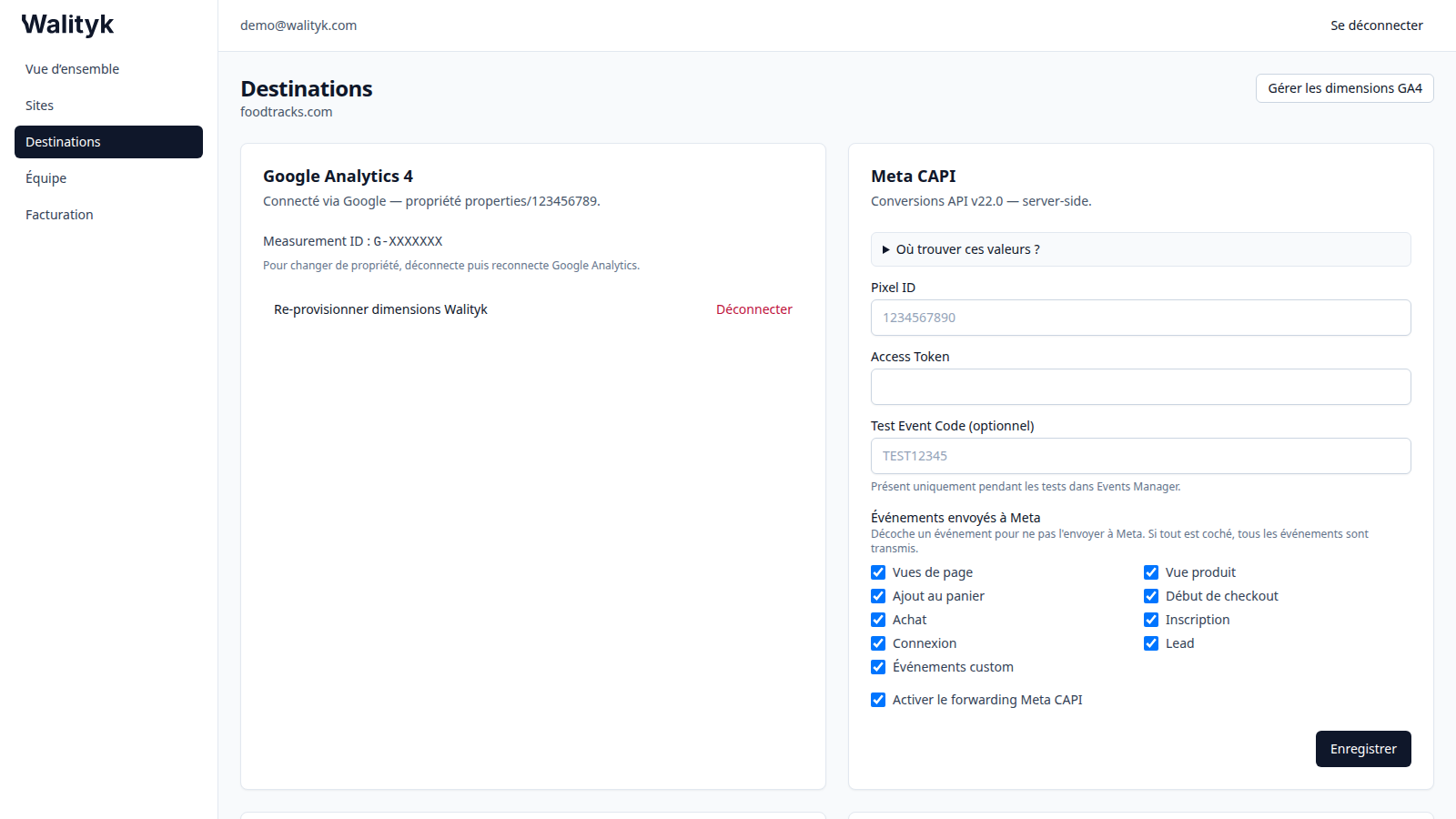
Method 2 — Measurement ID + API secret (manual)
- Open GA4 Admin → Data streams and select your Web stream.
- Copy the Measurement ID (
G-XXXXXXXformat), shown at the top right of the panel. - Below, open Measurement Protocol API secrets → Create, name it (e.g.
walityk) and copy the generated value. - In Walityk → Destinations → your site → Google Analytics 4 card: paste the Measurement ID and API Secret, then Save.
Without an API secret, GA4 silently ignores server-side hits. That’s pitfall #1.
Choosing forwarded events
The GA4 card shows a checklist: page views, product view, add to cart, begin checkout, purchase, sign-up, login, lead, custom events.
- Everything checked (default): all events are forwarded.
- Uncheck a type to keep it out of GA4. Skipped events show as “skipped” in the delivery log — that’s expected.
Verify
- Click Check that events arrive → after saving (or Destinations → your site → Google Analytics 4).
- On the Google side: GA4 → Reports → Realtime. Server-side events show up within seconds.
Known pitfalls
- Invalid Measurement ID: check the
G-XXXXXXXformat (not the numeric property ID, not aUA-). - Cookieless mode: without consent, GA4 receives a random per-session
client_idand nouser_id— audience reports are limited, by design (compliance). - Expired OAuth connection: if the log shows authorization errors, disconnect then reconnect Google Analytics from the card.
Next steps
Need help? hi@walityk.com.