Every configured destination (GA4, Meta, TikTok, Pinterest, LinkedIn, Google Ads) has two views in the dashboard: the delivery log (every raw HTTP hit) and the dashboard (7-day summary). It’s your first stop when “conversions aren’t showing up”.
The delivery log (logs & events)
Destinations → your site → click the destination’s name.
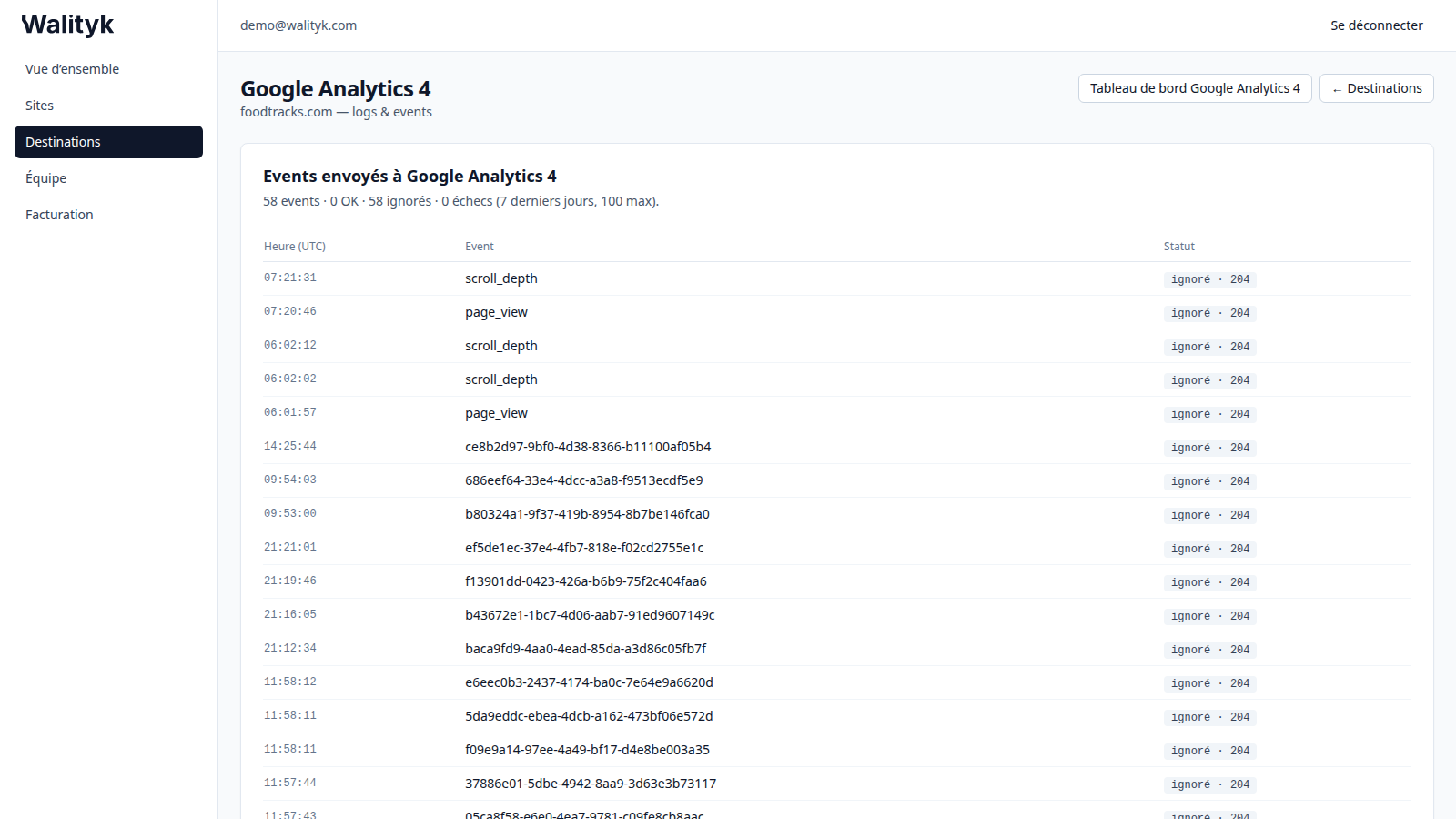
Each row = one event forwarded (or not) to the platform, with its status:
- OK (2xx): accepted by the platform.
- skipped (204): deliberately not sent. Normal causes: the visitor declined advertising consent, the event type is unchecked in the configuration, or (LinkedIn) no identity signal was available. Not an outage.
- failed (4xx/5xx): rejected or unavailable — an explanatory message is shown under the hit.
The dashboard (7-day insights)
“[Destination] dashboard” button at the top of the log.
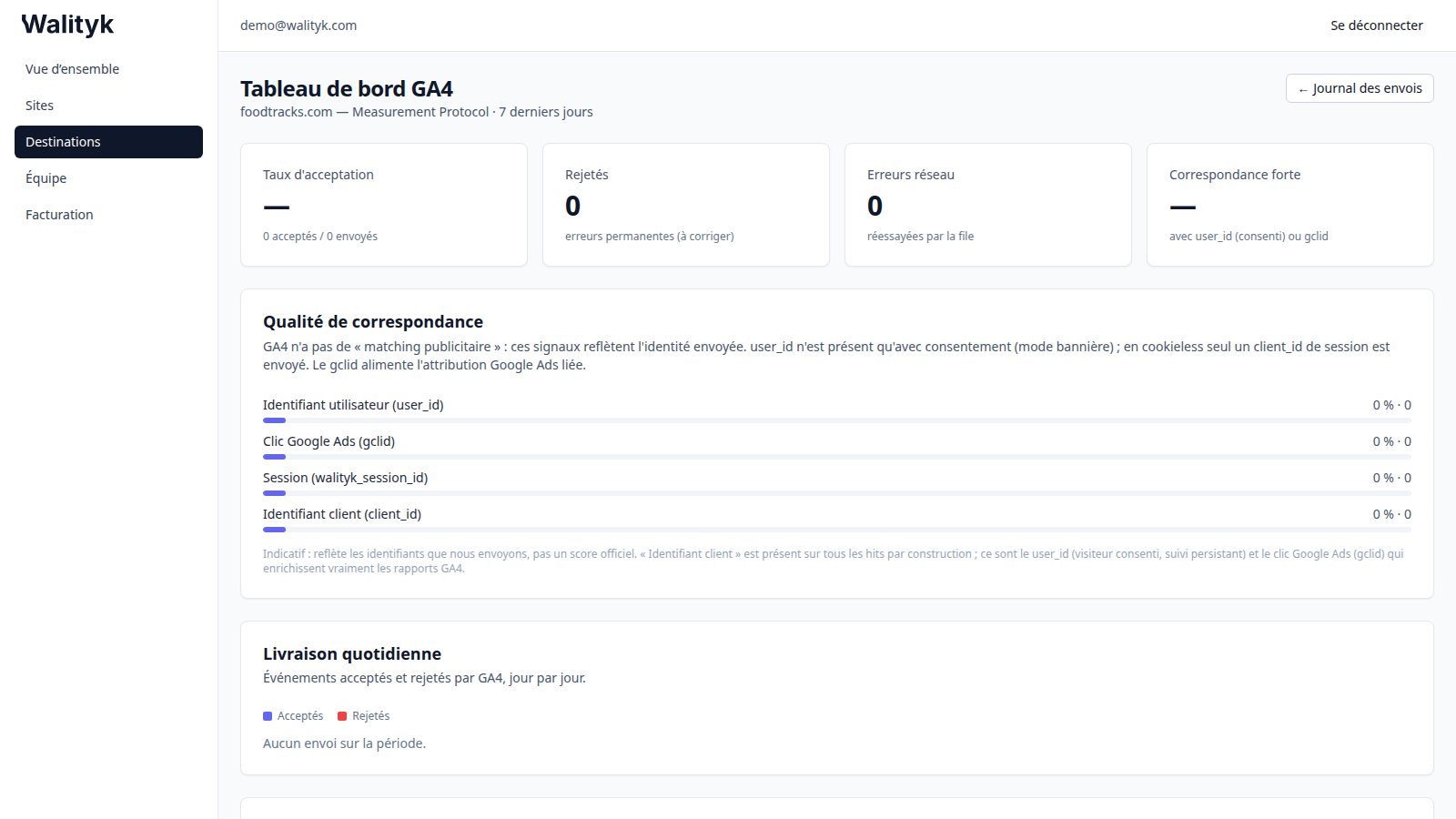
Four key indicators:
- Accept rate: accepted / sent. Aim for ~100%.
- Rejected: permanent errors (bad config, expired token) — fix them, they won’t resolve on their own.
- Network errors: transient errors (429, 5xx) — automatically retried by the queue, no action required.
- Strong match: share of events carrying the signals that matter (hashed email/phone, click identifier). The higher, the better the platform-side attribution.
Then: match quality (share of each signal — indicative, not the platform’s official score), daily delivery (accepted vs rejected day by day), per event type, and recent failures (reasons returned by the platform, most frequent first).
Common errors and what to do
| Symptom | Cause | Action |
|---|---|---|
| ”The Meta access token is invalid or expired” | CAPI token revoked/expired (code 190) | Regenerate a token in Meta Events Manager and paste it again |
”The Google Ads account isn’t active yet” (CUSTOMER_NOT_ENABLED) | Account never activated, or ID = MCC account | Accept the terms, add a payment method, use the final client ID |
”The connection has expired” (invalid_grant) | OAuth authorization revoked | Reconnect the destination from the Destinations page |
| ”The GA4 Measurement ID is invalid” | Wrong format / wrong field | Check G-XXXXXXX + the API secret |
| ”refused authorization (HTTP 401/403)“ | Credentials or permissions | Reconnect or check the account’s permissions |
| ”rejected the data (HTTP 400/422)“ | Incorrect config field | Check the IDs; otherwise forward the message to support |
| ”resource not found (HTTP 404)“ | Account/conversion ID doesn’t exist | Check the destination’s configuration |
| ”temporarily rate-limiting (HTTP 429)“ | Platform rate-limit | Nothing: retried automatically |
| ”momentarily unavailable (HTTP 5xx)“ | Platform-side outage | Nothing: retried automatically |
Automatic alerts
No need to watch constantly: when a destination fails durably (several permanent rejections with no success), Walityk emails the account owner — once per incident — and a banner shows on the site’s page. The alert resolves on its own when successful deliveries resume. Same if the tag stops sending any events for more than 24 hours.
Per-destination guides
Need help? hi@walityk.com.